

Published by AgamiSoft | Reading time: ~14 minutes
|
Featured Snippet / AEO Answer : A Progressive Web App (PWA) is a website built with modern web APIs that behaves like a native mobile app installable on a home screen, capable of working offline, and able to send push notifications built and maintained as a single web codebase. A native mobile app is a platform-specific application submitted to the App Store or Google Play. PWAs cost less to build and reach users without App Store friction; native apps provide better performance, deeper device integration, and App Store discoverability.
|
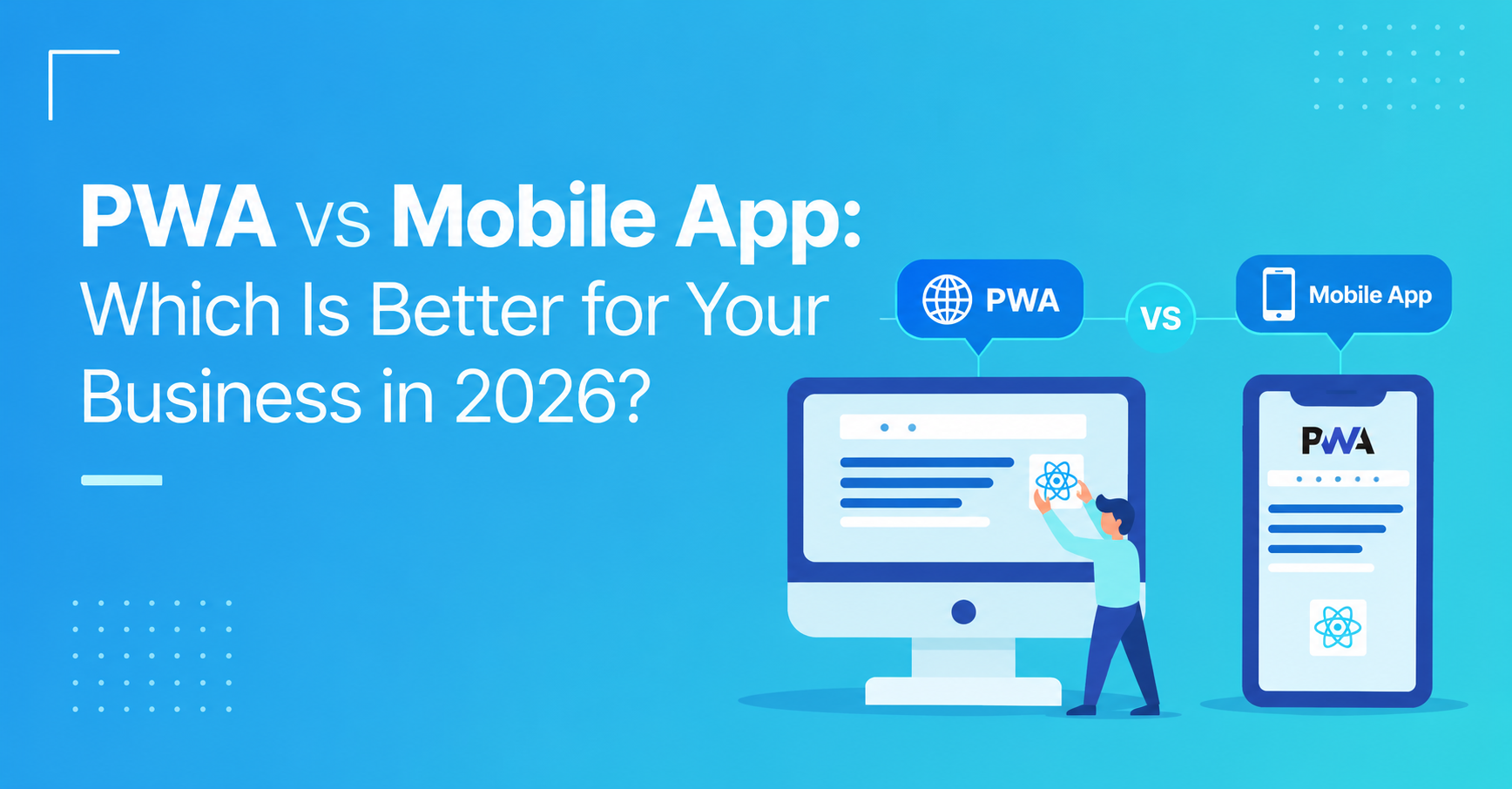
PWA vs Mobile App: Which Is Better for Your Business in 2026?
|
Quick Answer / TL;DR : PWA vs mobile app is a decision that determines your development cost, time to market, user acquisition path, device capability access, and long-term maintenance burden. Progressive web apps are faster and cheaper to build, accessible without App Store friction, and maintainable as a single codebase but they have meaningful limitations in performance, device API access, and discoverability. Native mobile apps access the full device capability set, perform at the highest level, and reach users through App Store search but they cost more, take longer, and require maintaining separate iOS and Android codebases or using a cross-platform framework.
|
Why the PWA vs Mobile App Decision Has Become More Nuanced in 2026
The PWA vs mobile app comparison has shifted meaningfully over the past three years in both directions. PWAs have gained capability: push notification support on iOS (added in Safari 16.4, 2023), improved service worker support across browsers, and Web Bluetooth and Web NFC APIs that bring PWAs closer to native device integration. Native apps have gained a cost-efficiency option: React Native and Flutter have matured to the point where cross-platform development reduces the cost premium over PWA significantly without sacrificing native performance.
The result is a decision space where the historical simplification "PWAs are cheap but limited, native is capable but expensive" is accurate but insufficient for most 2026 business decisions.
Three developments have made the 2026 decision more contextual:
iOS PWA limitations remain meaningful despite progress. Apple added iOS push notification support for PWAs in iOS 16.4, but significant limitations remain PWAs on iOS cannot access Bluetooth, NFC, background sync, or the device camera with the same capability as native apps. For businesses whose use case depends on these APIs (healthcare apps using Bluetooth medical devices, retail apps using the camera for barcode scanning), iOS PWA limitations are not preferences but hard technical constraints.
App Store discoverability has become more valuable as digital advertising costs have risen. A significant percentage of app discovery happens through App Store search 65% of iOS app downloads come from App Store browsing and search according to Apple's own data (Apple, 2025). PWAs are not indexed in App Store search. For businesses whose user acquisition depends on being found by users actively searching for the type of app they've built, the absence of App Store presence is not a minor inconvenience it is a structural user acquisition gap.
Single-codebase cross-platform development has reduced the native cost premium. The development cost gap between "build a PWA" and "build a native app" is narrower in 2026 than it was in 2020, because React Native and Flutter allow a single team to build both iOS and Android. For businesses that would have chosen PWA primarily to avoid paying for two separate native codebases, the cross-platform alternative now delivers native performance at cost levels closer to PWA.
What Is the Difference Between a PWA and a Native Mobile App, Exactly?
A Progressive Web App (PWA) is a web application built with modern browser APIs service workers, Web App Manifest, HTTPS that adds native-app-like behaviors to a website: installable to the home screen, capable of loading offline or on slow connections, able to send push notifications, and potentially accessible to some device hardware through Web APIs.
A native mobile app is a platform-specific application distributed through the App Store (iOS) or Google Play (Android), built with platform-native tools (SwiftUI/Objective-C for iOS, Kotlin/Java for Android) or cross-platform frameworks (React Native, Flutter), and packaged as a binary that the user installs on their device.
The five dimensions that most meaningfully separate the two:
Dimension 1 Distribution path
PWA: accessed through a URL; users can install to home screen from the browser without visiting an App Store. No App Store review required, no App Store fees.
Native: distributed through App Store or Google Play; users download and install through the app store. Subject to App Store review guidelines, 15–30% platform commission on in-app purchases, and App Store fees.
Dimension 2 Device capability access
PWA: accesses device capabilities through Web APIs camera (via getUserMedia), geolocation, push notifications (with limitations on iOS), accelerometer, some Bluetooth/NFC in supported browsers. Hardware access is progressively expanding but remains a subset of what native apps can access.
Native: full access to all device hardware and OS capabilities Bluetooth, NFC, background processing, TouchID/FaceID, ARKit/ARCore, HealthKit, CarPlay, and every other platform API.
Dimension 3 Performance
PWA: runs in the browser's rendering engine with JavaScript adequate performance for most content-focused and productivity use cases; noticeably inferior to native for graphics-intensive, animation-heavy, or computationally demanding applications.
Native: compiled code with direct hardware access highest available performance, smoothest animations, lowest latency for user interactions.
Dimension 4 Offline functionality
PWA: offline functionality through service worker caching can cache app shell, content, and API responses to provide offline-capable experiences for use cases where the cached content is sufficient.
Native: offline functionality through local database (SQLite, CoreData, Room) richer offline state management, better data synchronization patterns, more sophisticated conflict resolution.
Dimension 5 Development and maintenance cost
PWA: single web codebase maintained by a web development team no platform-specific tooling, no Xcode or Android Studio, no App Store submission process. Lower initial development cost and lower ongoing maintenance cost.
Native: one or two platform-specific codebases (or one cross-platform React Native/Flutter codebase) maintained by engineers with mobile-specific expertise higher initial cost, platform-specific tooling complexity.
The Performance, Cost, and Reach Numbers That Determine the Right Choice
PWA vs Native App: Quantitative Comparison
|
Dimension |
PWA |
Native App (Cross-Platform) |
Native App (Platform-Specific) |
|
Development cost (medium complexity) |
$30,000–$80,000 |
$80,000–$180,000 |
$150,000–$350,000 |
|
Development timeline |
8–14 weeks |
14–24 weeks |
20–36 weeks |
|
iOS push notification support |
Yes (iOS 16.4+, with limitations) |
Full |
Full |
|
App Store search visibility |
None |
Full |
Full |
|
Background processing |
Limited |
Full |
Full |
|
Bluetooth/NFC access |
Limited browser support |
Full |
Full |
|
Camera/AR access |
Basic (getUserMedia) |
Full (ARKit/ARCore) |
Full |
|
Maintenance cost (ongoing) |
Lower (one codebase) |
Medium (one cross-platform) |
Higher (two codebases) |
|
In-app purchase commission |
0% (no App Store) |
15–30% (App Store) |
15–30% |
Sources: Clutch Mobile App Development Cost Report 2025; MDN Web API compatibility data 2025; Apple App Store Commission Structure 2025.
Where PWAs Deliver Proven Business Value
-
Starbucks PWA reduced data usage by 99% and saw 2x daily active users after deployment reaching users on low-bandwidth connections who couldn't use the native app reliably (Google Case Study, documented)
-
Twitter Lite (PWA) saw 65% increase in pages per session, 75% increase in tweets sent, and 20% decrease in bounce rate compared to the previous mobile web experience (Google Case Study, documented)
-
Forbes PWA reported 43% increase in sessions per user and 100% more engagement for users arriving to the PWA experience versus the previous mobile web experience (Google Case Study, documented)
How to Make the PWA vs Mobile App Decision: A 5-Step Framework
Step 1: Assess Your Device API Requirements
Start with the hard technical constraints if your use case requires device capabilities that PWAs cannot access, the decision is made:
Choose native if your app requires:
-
Bluetooth Low Energy communication (medical devices, IoT sensors, fitness equipment)
-
NFC reading or writing (contactless payments, tag scanning)
-
ARKit (iOS) or ARCore (Android) for augmented reality features
-
Background location tracking with high accuracy
-
HealthKit or Google Fit integration
-
Biometric authentication with platform-native security guarantees
-
CarPlay or Android Auto integration
-
High-performance graphics (games, 3D visualization)
PWA is technically viable if your app requires:
-
Camera access for photos or video (getUserMedia covers most use cases)
-
Geolocation (supported in PWA)
-
Push notifications (supported on iOS 16.4+, all modern Android browsers)
-
Offline content access (service worker caching covers most content use cases)
-
Standard form input and data entry (fully supported)
Step 2: Evaluate Your User Acquisition Strategy
If users find your app through App Store search or if being listed in an App Store is an important trust signal for your target audience a PWA's absence from App Store search is a structural gap:
-
Research App Store search volume for your app category: use tools like Sensor Tower or AppTweak to estimate monthly search volume for the keywords users would search to find your type of app. High search volume indicates App Store discoverability is a meaningful user acquisition channel.
-
Assess your target audience's expectation of App Store listing: enterprise B2B users purchasing software often look for App Store listing as a signal of organizational legitimacy and security review. Consumer users in competitive categories discover apps primarily through App Store browsing.
-
Model your expected user acquisition mix: if 60%+ of your expected users would come through channels other than App Store search (direct traffic, marketing campaigns, QR codes, referrals), the App Store discoverability gap matters less.
Step 3: Assess Your Web Development vs Mobile Development Team Capacity
The correct technical approach is also the one your team can execute effectively:
-
If your engineering team is primarily web developers (React, Vue, Angular): PWA is achievable without hiring mobile specialists; native would require either hiring iOS/Android engineers or learning React Native/Flutter both adding time and cost.
-
If your engineering team has mobile experience: native cross-platform (React Native, Flutter) eliminates the cross-platform cost premium while delivering full native capability the PWA cost advantage is smaller relative to this team's capability.
-
If you're evaluating outsourced development: PWA development is broadly available from web development agencies at competitive rates; native mobile development (particularly iOS with Xcode expertise) requires mobile-specialist agencies at higher rates.
Step 4: Model the Total Cost of Ownership Including App Store Economics
The PWA cost advantage requires honest TCO modeling to validate:
PWA TCO advantage:
-
No App Store review compliance cost (policy compliance, rejection remediation)
-
No 15–30% App Store commission on in-app purchases
-
Lower maintenance cost (one codebase, web deployment no binary submission per update)
-
Lower initial development cost for web-centric teams
Native TCO considerations:
-
App Store commission applies only to in-app purchases if your monetization is subscription (with external payment link available in the EU and with Google's alternative billing option) or B2B invoice, commission impact is reduced
-
Cross-platform React Native/Flutter reduces the native maintenance cost premium significantly
-
App Store discoverability may justify native cost premium if it generates meaningfully higher user acquisition volume
Step 5: Consider the Hybrid Approach
For many businesses, the optimal answer is not an either/or choice:
PWA-first, native-later: launch a PWA to validate product-market fit and acquire early users through direct channels; build a native app when the business case for App Store presence or additional device capabilities is established by user demand.
PWA for web + Native for app: maintain a high-quality mobile web experience (potentially PWA) for users who discover through web search and aren't ready to download an app, alongside a native app for users who commit to installation serving both acquisition stages.
Native with PWA-quality web: build a native app as the primary product while ensuring the mobile web experience is fast and functional capturing users who are in research mode before they've decided to download.
Which Tools Support Each Approach in 2026?
For PWA development:
Next.js (React) and Nuxt.js (Vue) provide the most mature frameworks for building PWAs with full SSR/SSG support, service worker integration through next-pwa and @vite-pwa, and the performance characteristics required for PWA experiences that compete with native apps. Workbox (Google) provides the service worker library that handles the offline caching logic underlying most production PWAs.
For PWA performance testing:
Lighthouse (Chrome DevTools) provides the standard PWA audit testing installability, service worker functionality, offline behavior, and performance against Google's PWA criteria. Pass all Lighthouse PWA checks before considering a PWA production-ready.
For native cross-platform (reducing the native cost premium):
React Native with Expo remains the most accessible path to native cross-platform for web-oriented teams Expo's managed workflow dramatically reduces native configuration complexity. Flutter provides stronger UI consistency and animation performance for apps with complex custom UI requirements.
For push notifications (PWA):
OneSignal provides the most widely used push notification service with explicit PWA support handling the differences in push notification implementation between iOS Safari, Chrome, and Firefox in a single API. Firebase Cloud Messaging provides comparable capability with deeper Google ecosystem integration.
What Goes Wrong When Businesses Choose PWA or Native and How to Prevent Each Failure
Failure 1: Choosing PWA and Discovering iOS Limitations After Launch
Businesses that choose PWA without specifically testing their core use case on iOS Safari consistently discover iOS-specific limitations post-launch a PWA that works perfectly on Android Chrome may have push notification delivery issues, camera API limitations, or home screen behavior differences on iOS. Test your specific PWA functionality on physical iOS devices running the minimum supported iOS version before committing to PWA for an iOS-significant user base.
Failure 2: Choosing Native Without Modeling App Store Economics
Businesses that build native apps and monetize through in-app subscriptions without accounting for Apple's 15–30% commission in their unit economics consistently discover that their subscription pricing, which generates viable margins from web sales, produces insufficient margins after App Store commission. Model App Store commission into your pricing and margin structure before choosing native as the primary distribution channel.
Failure 3: Building for Both Simultaneously Without Prioritizing One
Teams that attempt to build a PWA and native app simultaneously without prioritizing one in the belief that both is better than either consistently underdeliver on both because the development effort is split. Choose one primary approach for launch; build the second after the first is stable and the business case for the second is established by actual user behavior.
Frequently Asked Questions
What Is the Difference Between a PWA and a Native Mobile App?
A Progressive Web App (PWA) is a website built with modern web technologies that behaves like a mobile app installable to the home screen, capable of offline operation, and able to send push notifications without requiring App Store distribution. A native mobile app is a platform-specific application distributed through the App Store or Google Play, with full access to device hardware (Bluetooth, NFC, ARKit/ARCore, HealthKit), compiled performance, and App Store discoverability. PWAs are cheaper to build and maintain as a single web codebase; native apps deliver superior performance, full device capability access, and App Store search visibility.
When Should a Business Choose a PWA Over a Native Mobile App?
Choose a PWA when: your app's functionality doesn't require device APIs that PWAs cannot access (Bluetooth, NFC, advanced AR, background location); your user acquisition doesn't depend on App Store search; your engineering team is primarily web-focused; you want to avoid App Store commission on in-app purchases; or you need to validate product-market fit before committing to native development cost. PWAs are particularly well-suited for content-focused apps, B2B productivity tools accessed primarily from marketing campaigns rather than App Store search, and apps targeting markets where users are accustomed to installing apps via browser rather than App Store.
Which Is Cheaper to Build a PWA or a Native Mobile App?
A PWA is typically 40–60% cheaper than an equivalent native mobile app for web-centric development teams because a single codebase serves both iOS and Android, web developers can build it without mobile-specific expertise, and there are no App Store submission requirements to navigate. A PWA for a medium-complexity app costs $30,000–$80,000; a comparable React Native cross-platform app costs $80,000–$180,000; a platform-specific native app (separate iOS and Android) costs $150,000–$350,000+. The cost gap narrows when the team has existing React Native or Flutter expertise and widens when native development requires hiring mobile specialists.
Test Your Core Use Case on Physical iOS Devices Before Committing to PWA. Model App Store Commission Before Choosing Native Monetization. Launch One Approach First, Expand to the Second After Validation.
The PWA vs mobile app decision produces its best long-term outcome when it's made against honest answers to three questions: does your use case require device capabilities that PWAs don't yet support on iOS, does your user acquisition depend on App Store search, and does your team have the capability to build native without disproportionate cost? When the answers to all three are no PWA. When the answers point toward native evaluate cross-platform to reduce the cost premium before defaulting to platform-specific development.
The founders and product leaders making the best PWA vs native decisions in 2026 share one evaluation discipline: they tested their specific use case on physical iOS devices against the actual PWA limitations before making the commitment not against the theoretical capability list from MDN docs, but against the actual behavior of their app's core features on the iOS version their target users run.
Test your app's three most critical features as a PWA on an iPhone running iOS 16–17 this week. Check App Store search volume for your primary category keywords using Sensor Tower or AppTweak. Model your expected user acquisition source mix what percentage would come through App Store search vs direct channels before finalizing your approach.
To build the right mobile experience for your business whether PWA, cross-platform native, or a hybrid approach connect with our team for mobile strategy and development support.